ZigHaven
A native iOS smart home app bringing an Apple Home-inspired interface to Zigbee2MQTT
Built around progressive disclosure to manage smart home complexity, with visual schedule editing, AI-powered room organization, and full VoiceOver accessibility throughout.
Key Metrics
Overview
ZigHaven is a native iOS app for controlling Zigbee2MQTT smart home systems. I designed and developed the entire product, from initial idea to shipping on the App Store.
The project started with a very specific problem and grew from there.
The Challenge
I use Zigbee2MQTT to control smart radiator thermostats. These radiator thermostats support weekly schedules, which sounds useful enough in theory. But in Zigbee2MQTT, setting a schedule means entering a raw string like:
06:00/21.0, 08:30/17.0, 16:30/21.0, 22:00/17.0
This tells the radiator thermostat to heat to 21°C at 6 AM, drop to 17°C at 8:30 AM when you leave, warm up again at 4:30 PM, and cool down at 10 PM for the night. Functional, but built with technical users in mind.
A visual schedule editor that made this configuration accessible to everyone in the household was the obvious missing piece. Zigbee2MQTT is excellent software, but it targets a technical audience. For everyone else, there was no straightforward way to interact with the system: lights, sensors, power monitoring all ran through web dashboards rather than a native app designed for daily use.
The Design Goal
The vision was straightforward: create an experience closer to Apple's Home app, but backed by Zigbee2MQTT. The key principles:
- Familiar patterns: Room-based organization, simple toggle controls, and visual feedback that feels native to iOS, not like a technical dashboard.
- Complexity when needed, simplicity by default: A light switch should be a tap. A radiator thermostat schedule should be visual and easy to adjust. More advanced configuration options should be available but never in the way.
- Works for the whole household: Not everyone in a home is technical. The app needs to feel approachable to anyone, not just the person who set up the Zigbee network.
Key Design Decisions
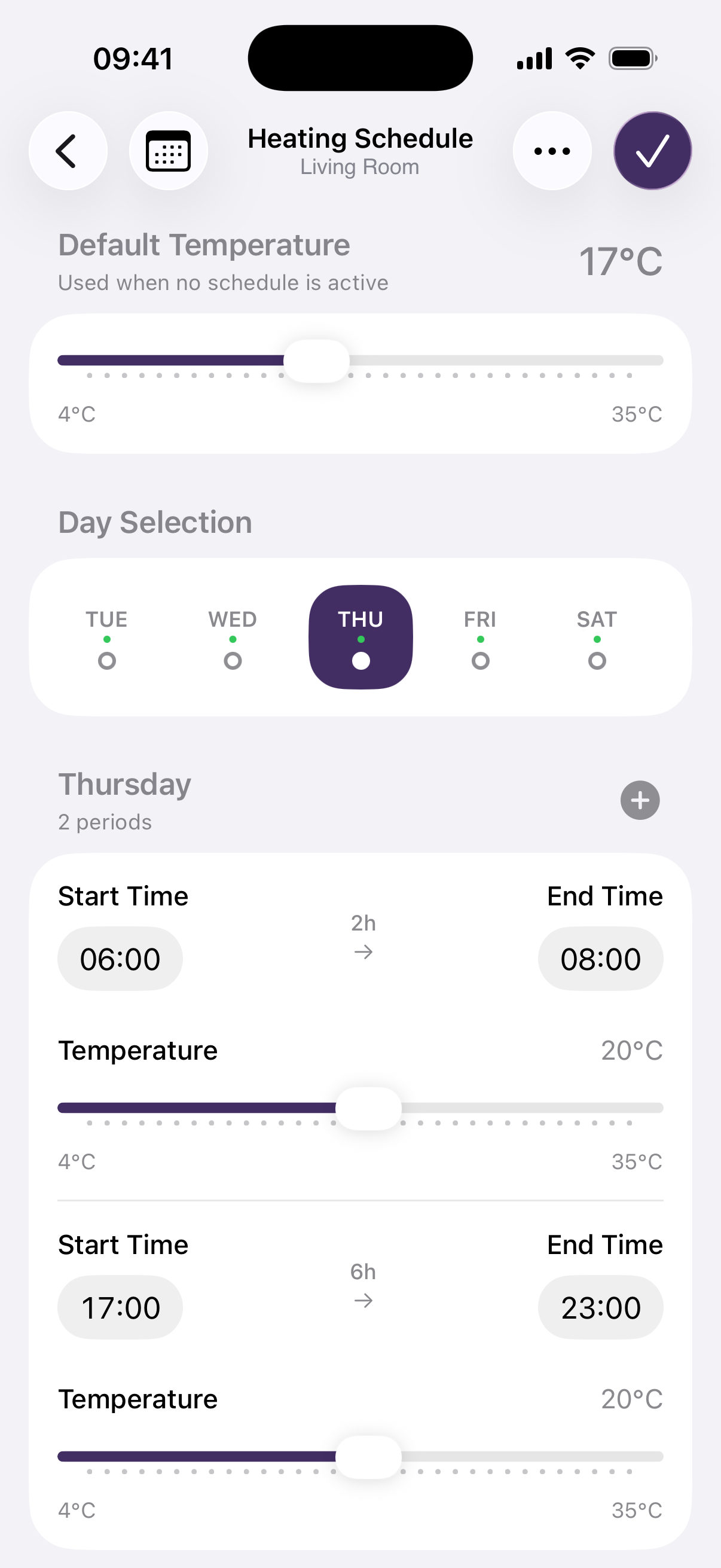
Visual schedule editor: The core feature that started it all. Instead of typing time/temperature strings, users see a visual weekly timeline where they can create, adjust, and remove temperature blocks. Each day is visible at a glance, and copying a schedule from one day to another is a simple interaction.
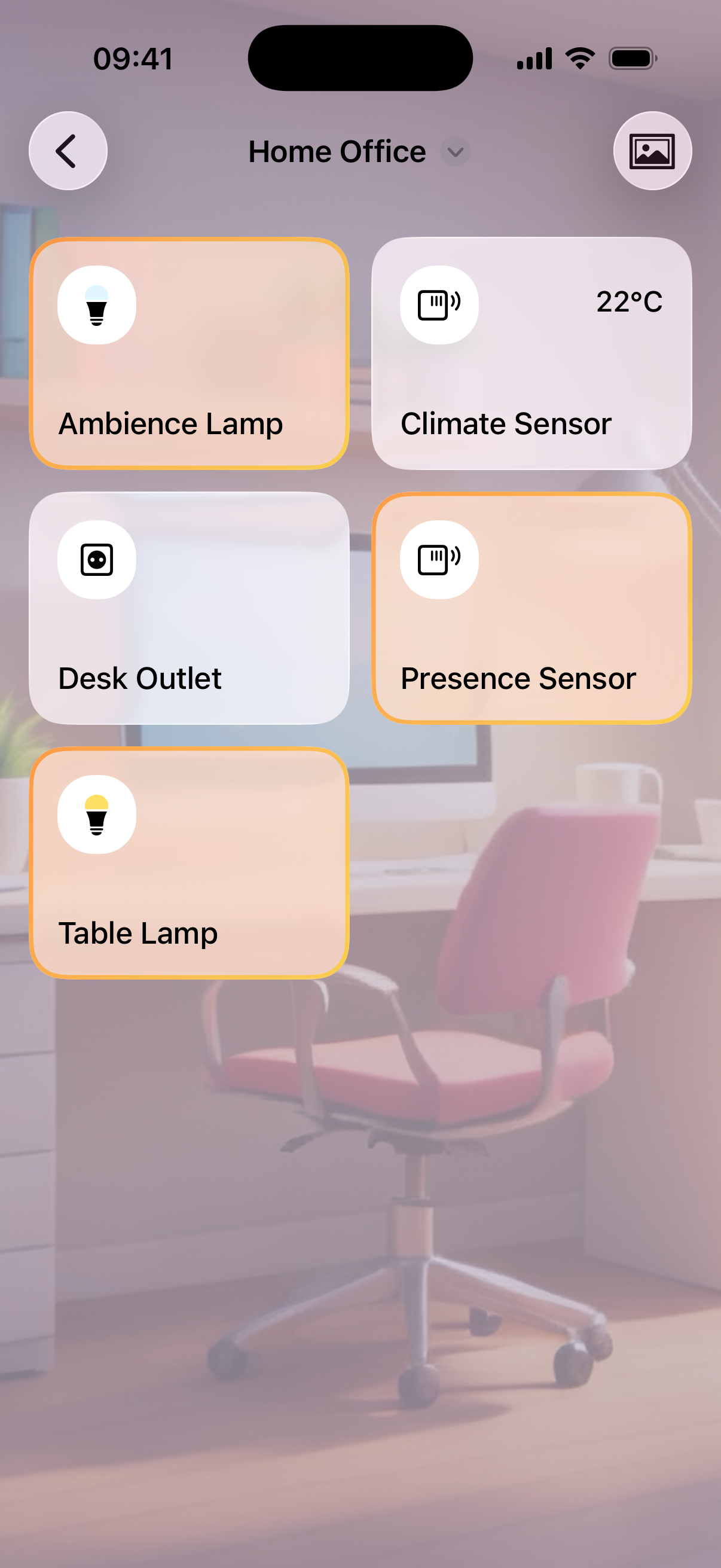
Room-based organization: Devices are grouped by room with card-based layouts, matching the mental model of how people think about their home: "Ceiling Light Living Room," not "0x00158d0001a2b3c4." Using AI, the app can automatically assign devices to rooms and create the room structure on its own. The AI also generates fitting background images for each room, giving the app a personal, homey feel right away. This eliminates manual setup and makes the app usable right after connecting.
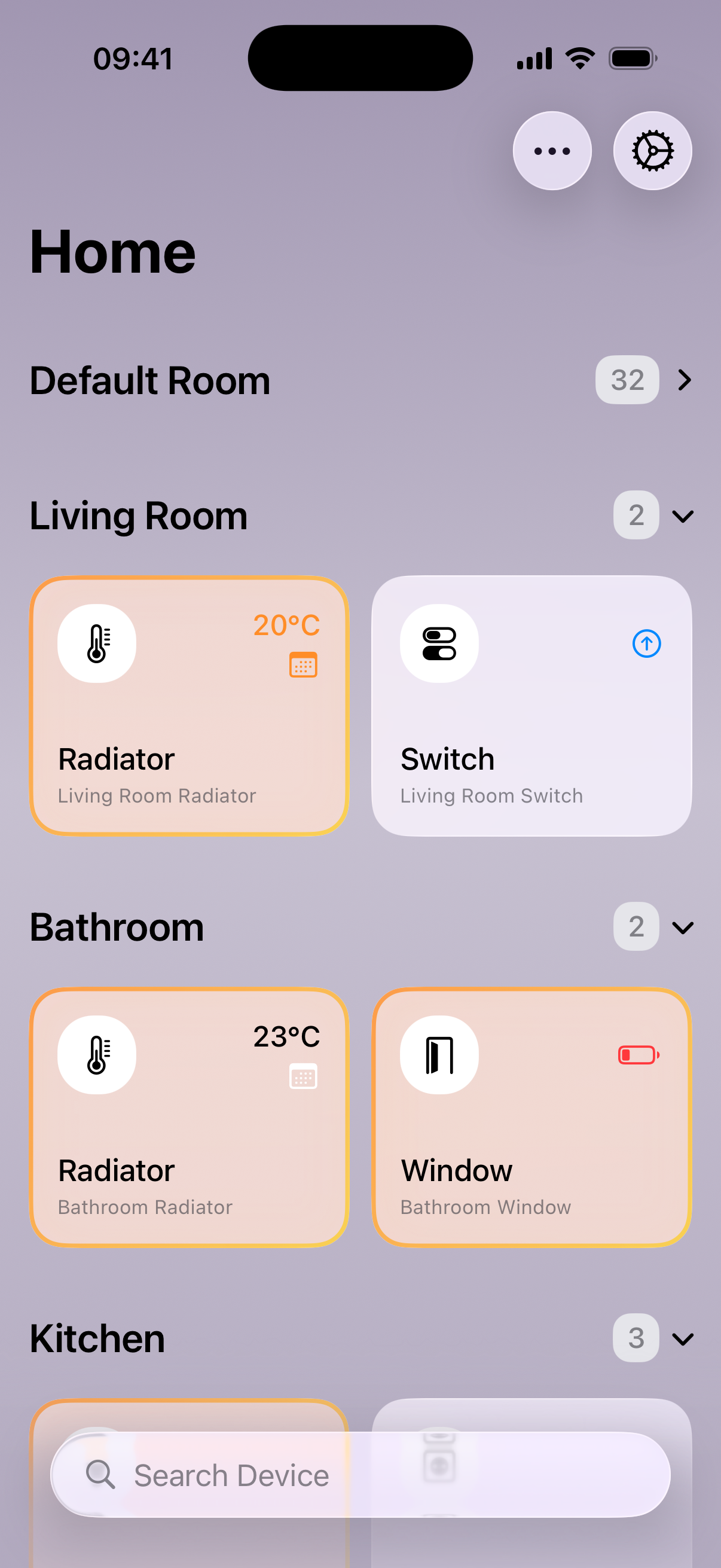
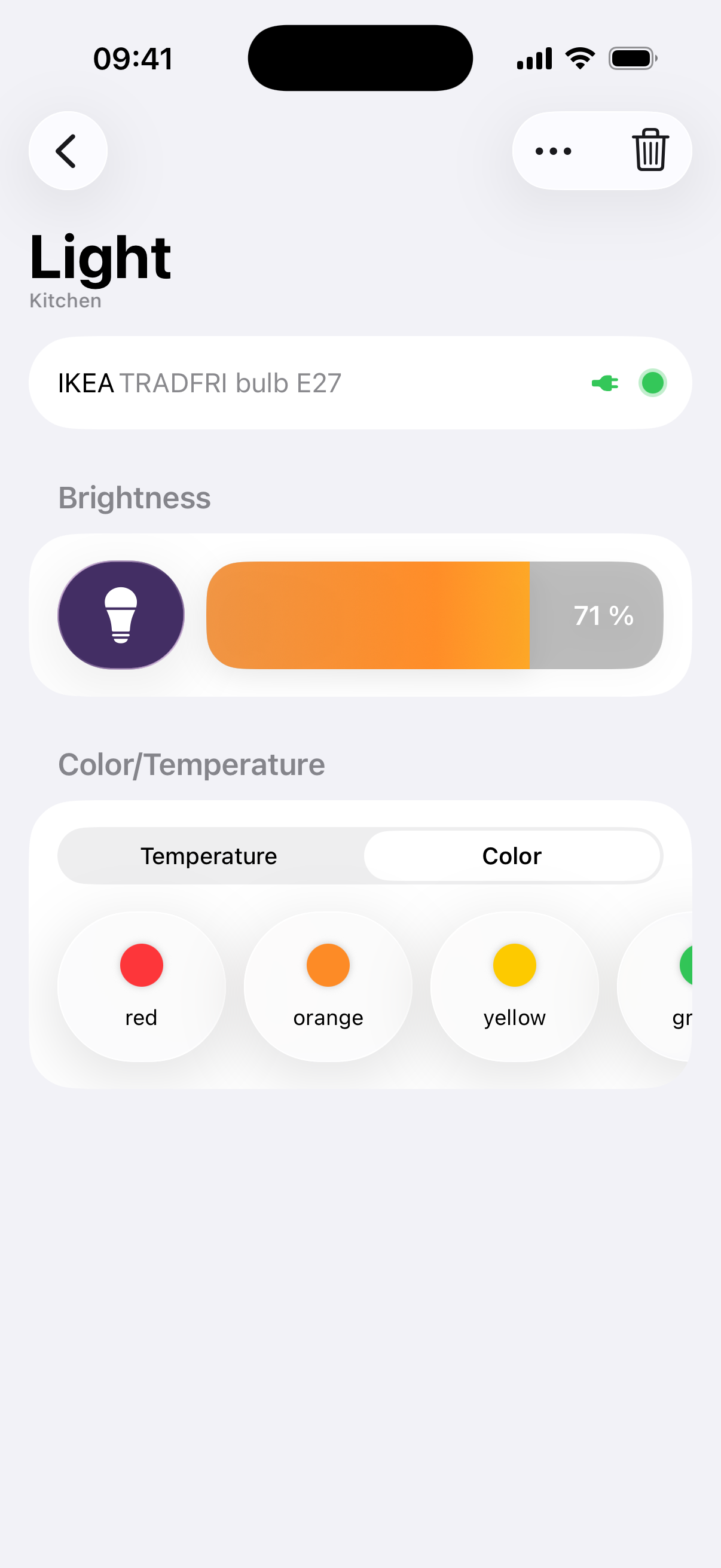
Progressive complexity: The home screen shows rooms and quick controls. Tapping a device reveals more detail. Advanced features like power monitoring, firmware updates, or the server deployment wizard are accessible but never in the way of basic daily use.
VoiceOver accessibility: Full VoiceOver support throughout the entire app. Smart home control is particularly important for users with visual impairments: being able to adjust heating or lighting by voice and gesture without relying on a web dashboard makes the app usable for blind people too.
In-app server setup: Some features (like power consumption history) require a small backend server. The server runs on the same device as Zigbee2MQTT, so no extra hardware is needed. Rather than setting it up via SSH, the app offers a one-click installer: enter server credentials, tap install, done.
Outcome
- Successfully launched on the App Store
- Provides a native iOS alternative in a space dominated by web-based dashboards
- Full VoiceOver accessibility, a genuine differentiator in the smart home category
- A small everyday frustration grew into a full product
Interested in working together?
Get in touch