NAHVERKEHR HAMBURG
UX consulting and technical development for Hamburg's most-read independent news portal on mobility
Hamburg's most-read independent news portal on mobility: relaunch, UX consulting and custom WordPress plugins that let the newsroom run its paywall and newsletter itself.
Overview
NAHVERKEHR HAMBURG is Hamburg's most-read independent news portal on mobility, with 2.3 million pageviews per year. It covers public transit, cycling infrastructure, sharing services, and electric mobility through news, investigations, and interviews. The platform is funded by several hundred paying members, alongside a daily newsletter with around 5,800 subscribers.
I work as a UX designer and developer for NAHVERKEHR HAMBURG. A milestone of the engagement was the comprehensive relaunch of the platform in early 2026.
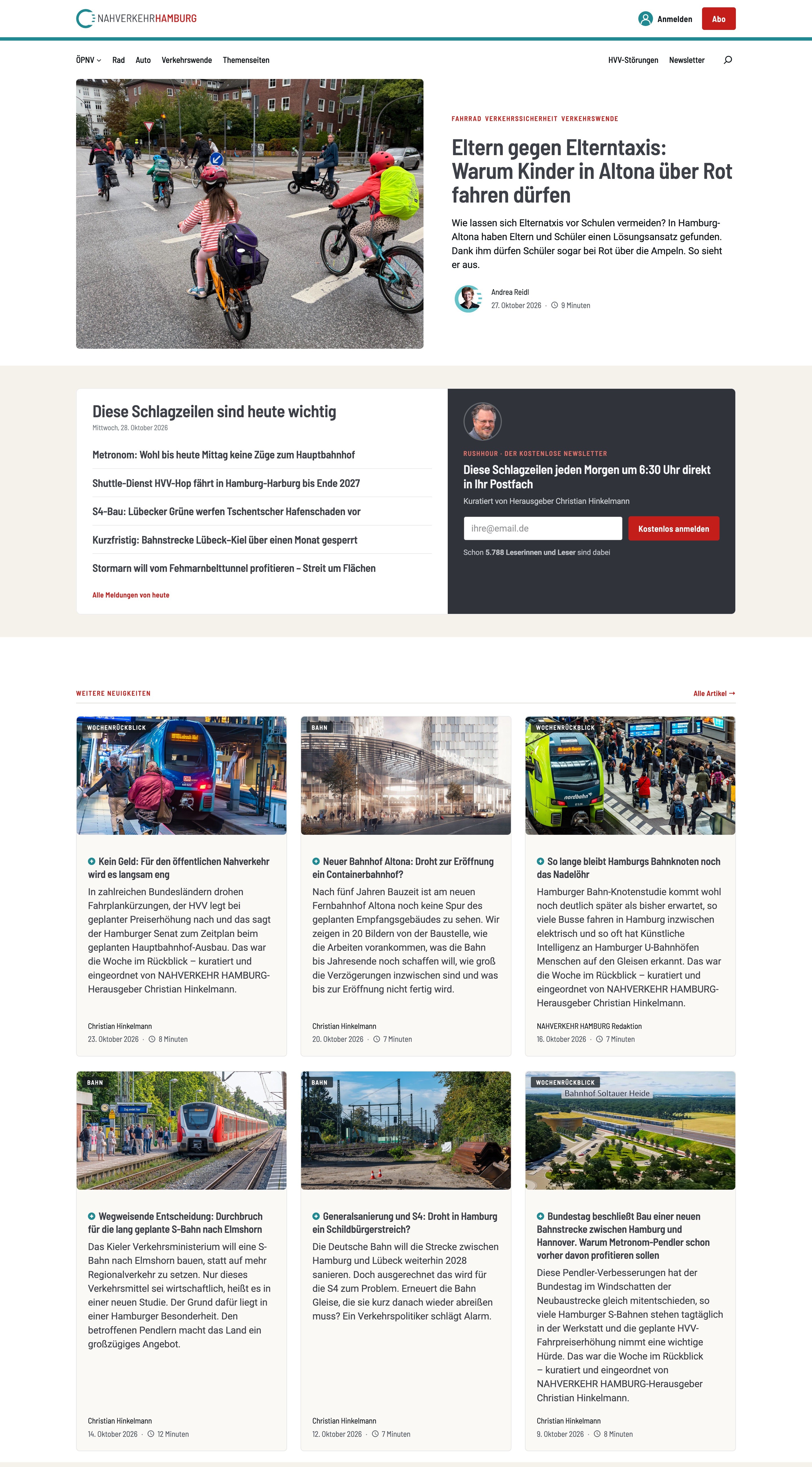
The NAHVERKEHR HAMBURG homepage in its current live version.
My Role
The work breaks down into two areas that inform each other.
UX Auditing and Consulting: Reviewing the platform's user experience, identifying friction points, comparing it with other media outlets, and translating findings into concrete recommendations.
WordPress Development and Maintenance: Maintaining the WordPress installation and building custom PHP solutions where the available plugin ecosystem doesn't meet the platform's needs, particularly around subscriber and member data management. Only a custom plugin ecosystem made it possible to get the paywall and newsletter systems to work together.
The Relaunch
I delivered the relaunch as UX consultant and developer:
- UX consulting: Evaluating the existing site and recommending paywall and newsletter improvements for the new platform.
- Migration: Moving the existing WordPress instance to a new installation, including carrying over the newsletter subscribers from the previous Mailster setup.
- Technical integration: Connecting the external services: Steady for memberships and CleverReach for the newsletter.
- Custom plugins: Building the membership and newsletter plugins (see below) that tie the paywall, newsletter, and WordPress together.
Since the relaunch, I have continued to support the platform on both the technical and the UX side.
UX Work: Auditing and Consultancy
Methodology
I review the website and newsletter for friction points and compare them with other media outlets. From this, I derive concrete recommendations, which I discuss with the editorial team.
Newsletter
The newsletter is one of the platform's most important channels. The UX focus of the engagement is on managing the newsletter subscription, from signup through the profile page to unsubscribing.
Website
The website UX is also part of the engagement.
Editorial Backend Experience
An important part of the UX work concerns not the readers but the editorial workflow. Both plugins come with configurable admin interfaces that let the editorial team manage key aspects directly from the WordPress backend: the membership plugin covers the full paywall CTA including copy, subscription plans, button labels, and context-specific notice texts for different subscriber states; the newsletter plugin covers rotating text variants for each newsletter section and the Kurzstrecke content. Configurations that previously required editing templates or navigating third-party dashboards are accessible directly within the CMS.
Technical Work: WordPress Development and Maintenance
Maintenance
Alongside plugin development, I handle ongoing maintenance of the WordPress installation: updates, security, and general platform stability.
Custom Plugin: Paywall Integration (Steady)
The platform uses Steady as its membership and paywall service. The native Steady integration with WordPress is limited: protecting content server-side, without relying on JavaScript, requires a custom solution.
The membership plugin closes this gap. It connects Steady to WordPress via OAuth, syncs subscription status into user accounts, and controls content access server-side using a marker in the article body. Non-subscribers see a truncated version with a membership CTA that surfaces the available Steady subscription plans directly. The plugin also manages enterprise clients with access rules by IP address, IP range, and email domain, and provides a subscriber overview with subscription history within the WordPress admin.
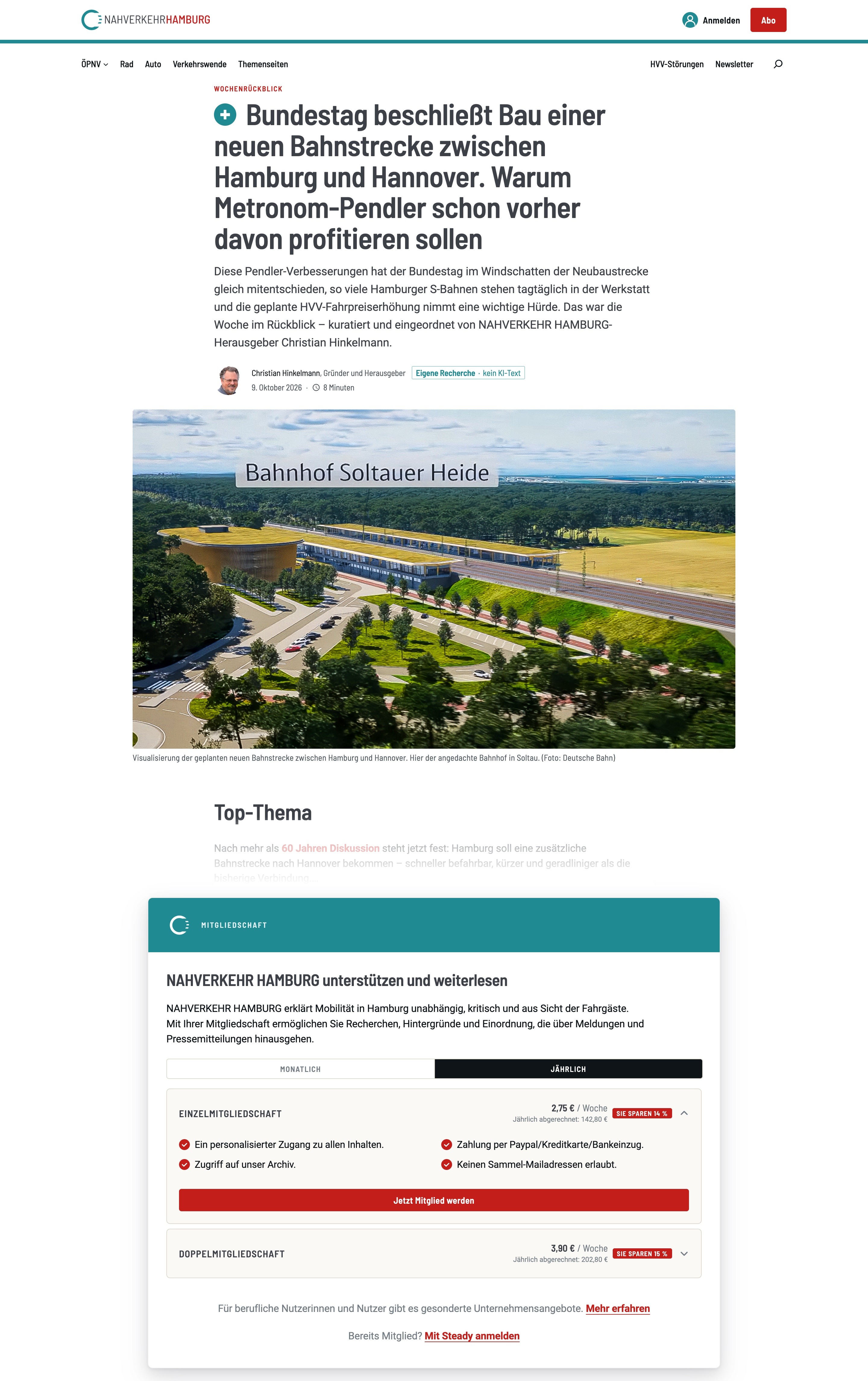
A paywalled article as guests see it: after the preview text, the membership plugin shows the notice with the Steady subscription plans.
Beyond the paywall, the plugin covers the full reader journey:
- Login: Sign in with a Steady account or via magic link, a login link sent by email, with no password needed.
- Reading history for the newsroom: The plugin measures reading time and read depth and shows them as a reading heatmap directly on the article.
- Data quality: Duplicate user accounts are detected and can be merged.
- Fine-grained control: An article's comments and table of contents can also sit behind the paywall.
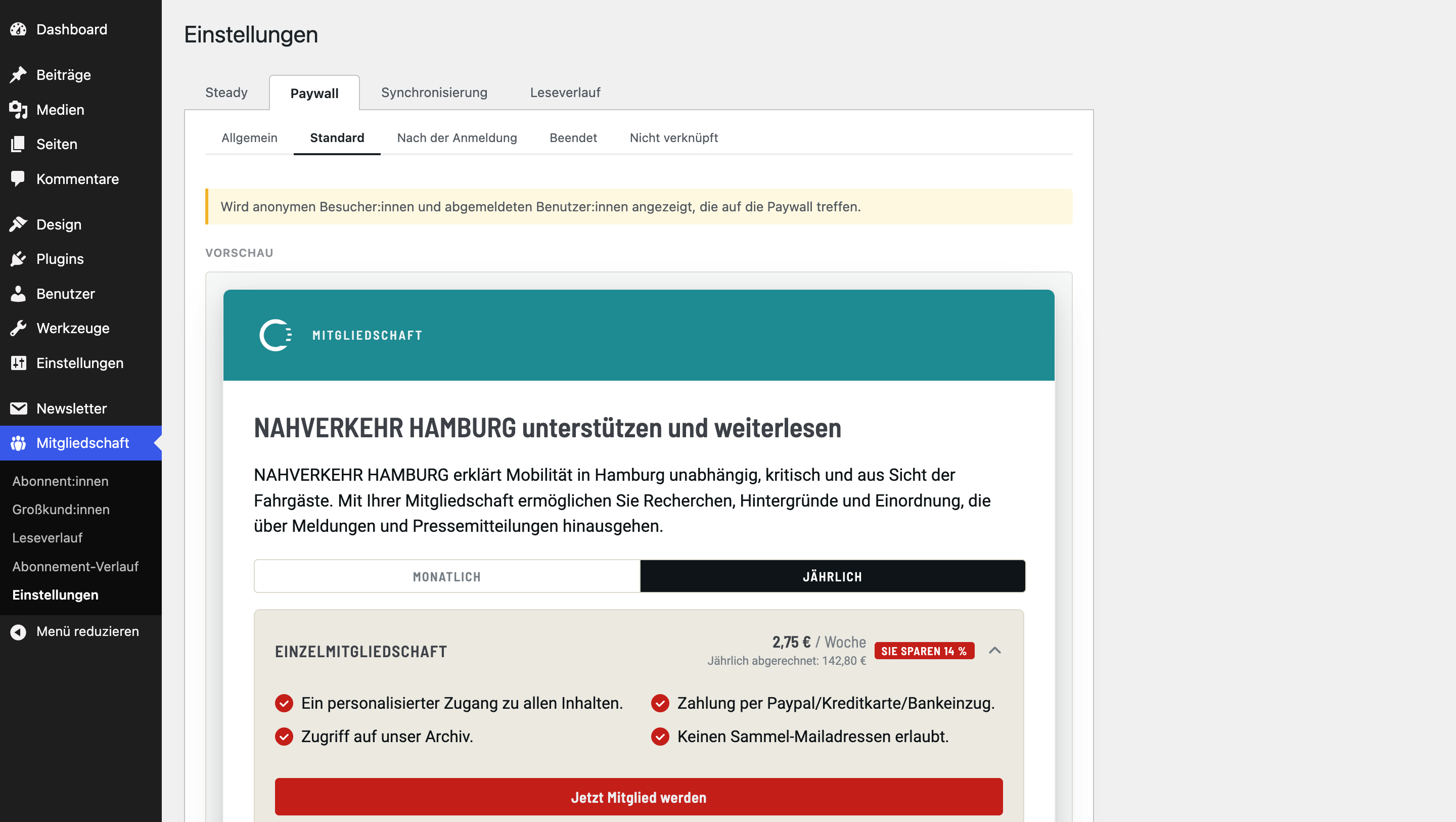
In the WordPress admin, the newsroom edits the paywall notice for every reader state itself, with a live preview.
Custom Plugin: Newsletter System
The Rushhour newsletter runs daily and follows a consistent editorial format. For recurring elements like greetings, sign-offs, and service notes, manually writing each variant per issue would be unnecessary overhead.
The newsletter plugin handles this through a rotation system: multiple text variants can be stored for each section and assigned to the weekdays they fit. For each issue, the plugin randomly picks one of the matching variants. For holidays or special situations, a fixed greeting can replace the rotation for a set period. The "Kurzstrecke" format, a collection of short news items with source references, is edited directly in the Gutenberg editor and formatted for email output by the plugin.
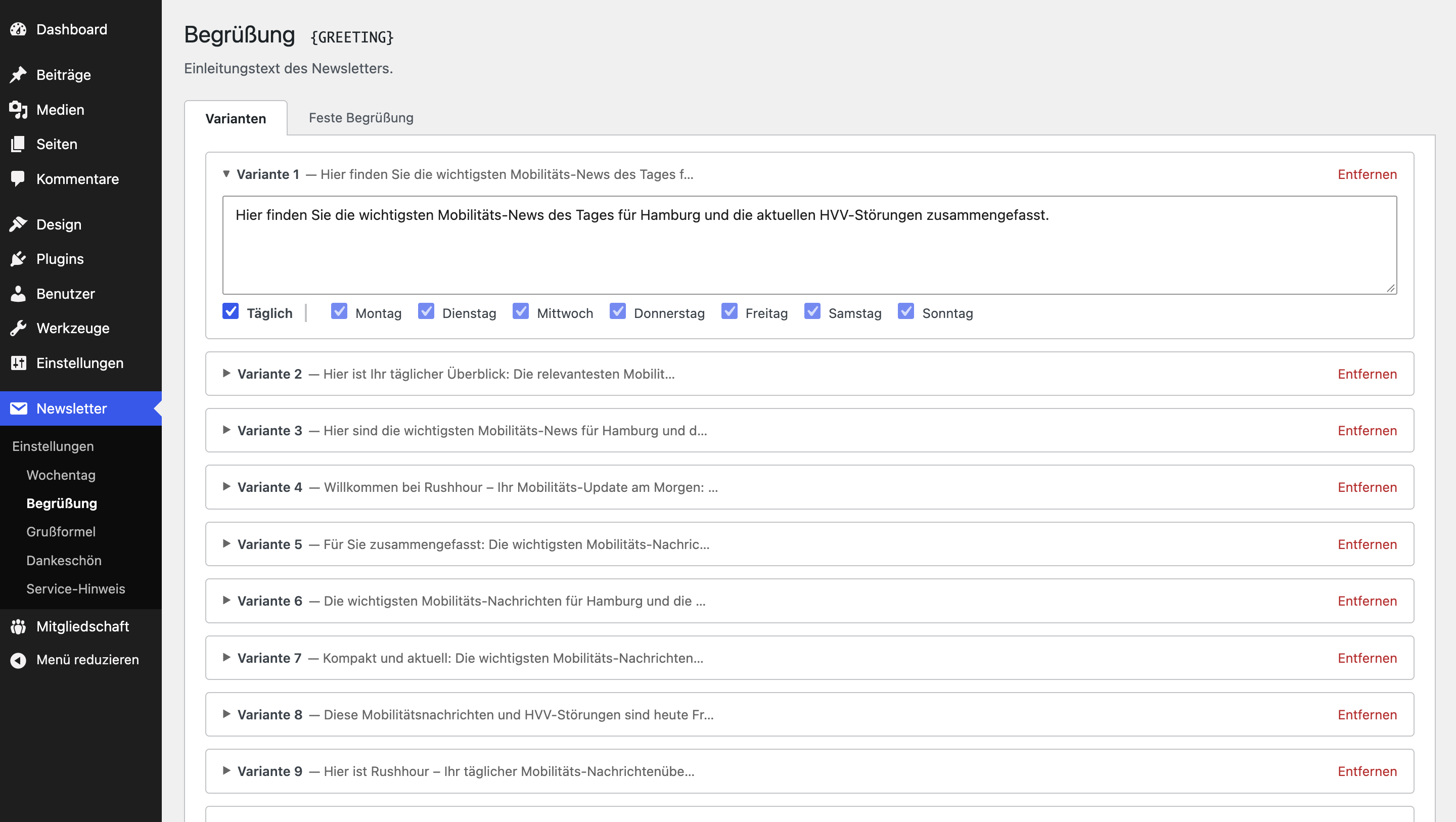
Rotating texts in the newsletter plugin: each variant applies on the selected weekdays.
The plugin also sends the newsletter itself: it creates mailings through the newsletter service's API, schedules them, and can stop a send if needed. Signup, unsubscribe, double opt-in, and email address changes run through dedicated Gutenberg blocks. A webhook keeps subscriber data in sync between WordPress and the newsletter service in both directions.
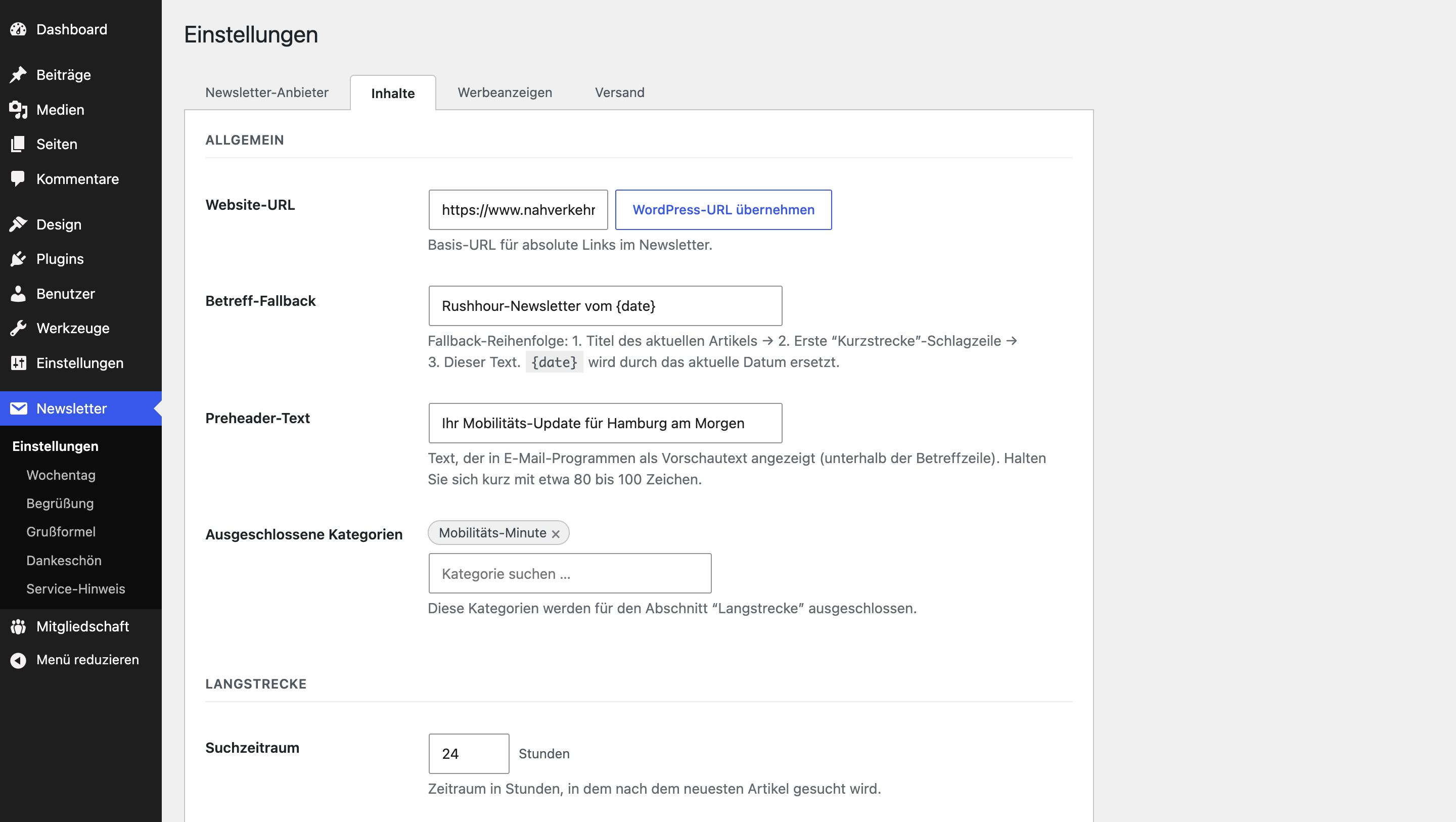
In the settings, the editorial team defines how the plugin assembles each issue: from subject line and preheader to the categories feeding each section.
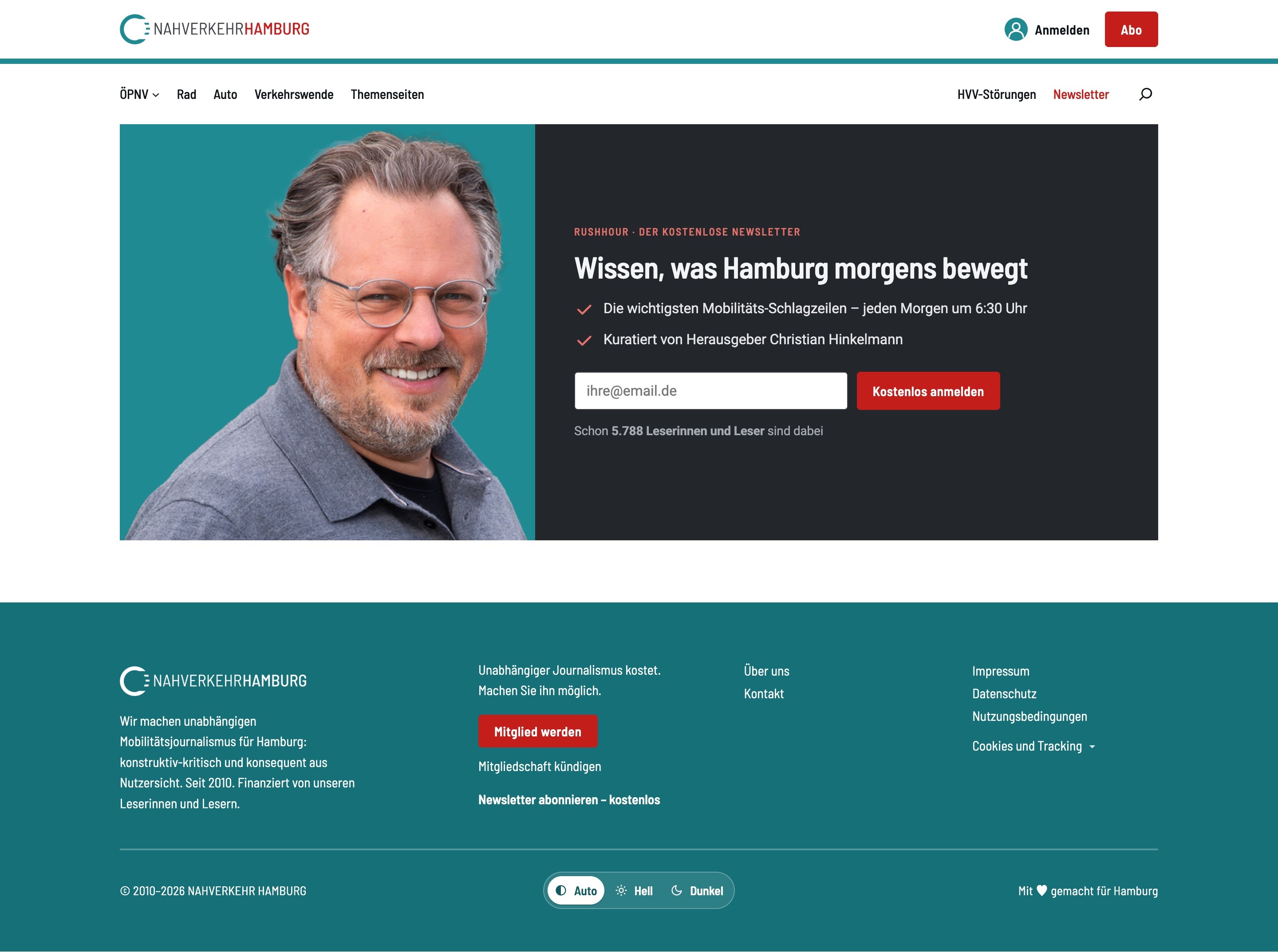
The newsletter signup, a Gutenberg block from the plugin.
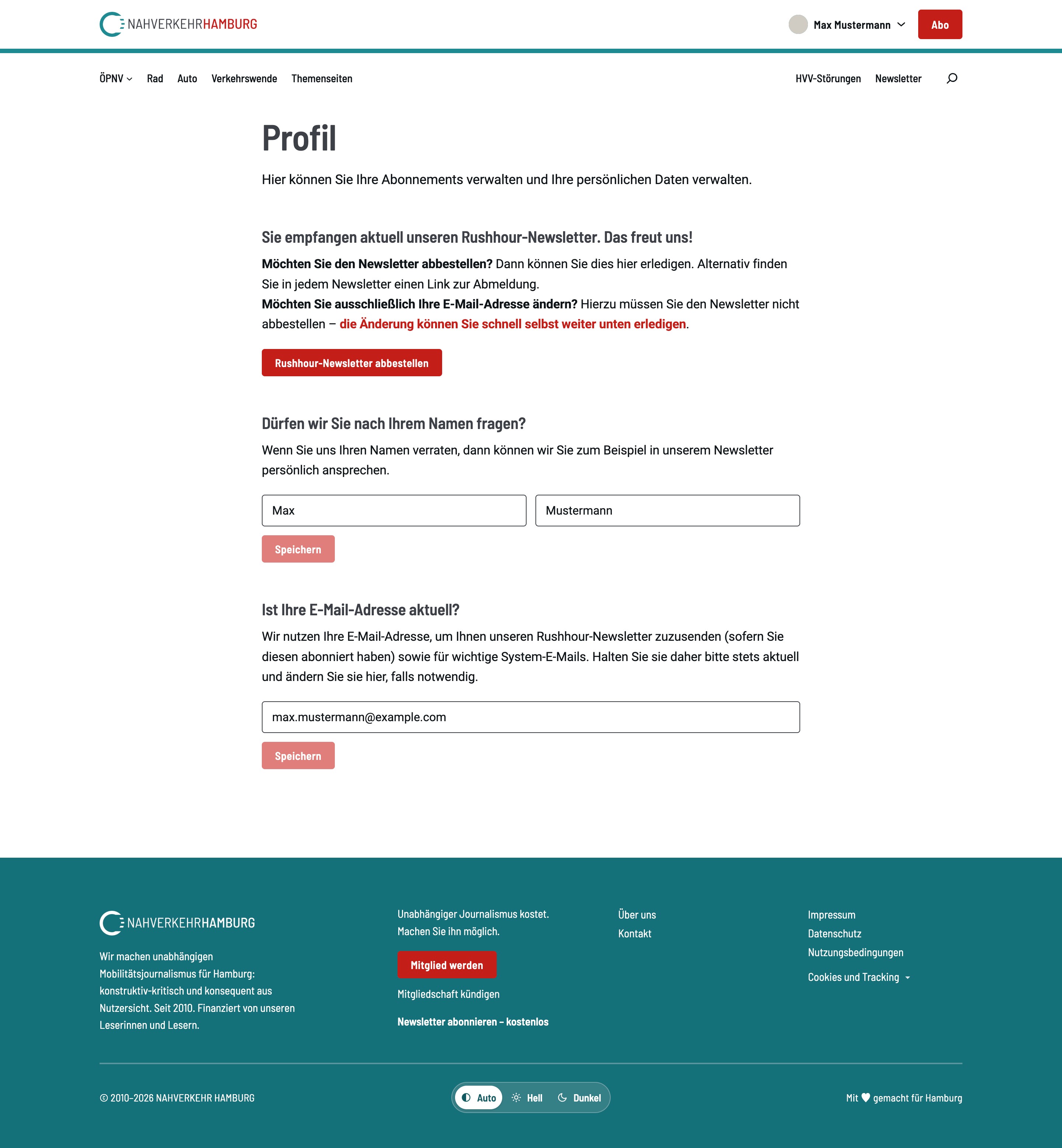
On the profile page, readers manage their newsletter subscription, name and email address.
In July 2026, I moved the newsletter from CleverReach to Brevo. Since then, the plugin talks to the service through a provider-neutral API layer, so any future switch will take far less effort.
Both plugins follow WordPress coding standards, are version-controlled, and documented.
Outcome
- The editorial team maintains paywall notices, subscription plans, and newsletter text variants in the WordPress backend themselves, without code or third-party dashboards.
- Paywalled content is protected server-side instead of merely being hidden with JavaScript.
- The plugin creates and schedules the daily newsletter itself; recurring texts rotate automatically.
- Readers sign in with their Steady account or via a passwordless magic link and manage their newsletter subscription, name, and email address on their profile page.
- Thanks to the provider-neutral API layer, switching newsletter services in the future takes little effort.
Interested in working together?
Get in touch